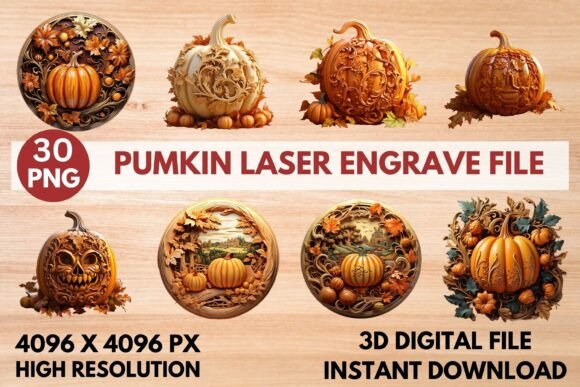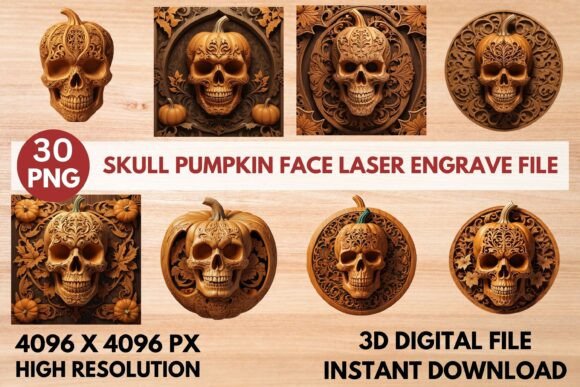
Skull Pumpkin Face Laser Engrave File: Spooky Decor Creations
Imagine transforming plain wood, leather, or fabric into a hauntingly beautiful piece of art with a single pass of your laser. This is the creative power unlocked by a high-quality laser engrave file, specifically designed for precision and depth. The Skull Pumpkin Face Laser Engrave File is a digital asset crafted for makers and designers who want to add a professional, gothic flair to their seasonal and year-round projects.
More than just a simple image, this is a meticulously prepared set of design assets. The collection includes both coloring and grayscale versions of intricate skull and pumpkin motifs, all in a high-resolution 4096x4096 PNG format. The grayscale files are particularly valuable, as they are optimized to produce varying depths and shades during the engraving process, resulting in stunning visual texture and detail that flat vector files cannot achieve. This makes it an essential tool for anyone using popular machines like Glowforge, xTool, or LightBurn-compatible CO₂ laser cutters.
Creative Applications and Project Ideas
The versatility of this file set makes it a valuable addition to a digital toolkit. Its primary strength lies in creating striking home décor and seasonal decorations. Think beyond simple Halloween signs; this design can be engraved onto wooden wall art, ceramic tableware, slate coasters, or even leather patches for apparel. For crafters running small businesses, it opens doors to creating unique, marketable goods.
Consider these practical uses for your Skull Pumpkin Face Laser Engrave File:
- Wood Crafts & Signs: Create durable, detailed signs for haunted house props or year-round gothic décor.
- Textiles & Apparel: Engrave onto denim jackets, tote bags, or hats for a custom, edgy look.
- Paper Goods & Packaging: Design exclusive stationery, gift tags, or product packaging with a spooky-elegant aesthetic.
- Tableware & Coasters: Personalize cutting boards, serving trays, or ceramic mugs for themed parties or gifts.
Tips for Selecting and Using Engrave Files
When choosing any laser engrave file, clarity and compatibility are key. Always verify the file format works with your software; PNG is widely supported, but settings like dithering (e.g., Jarvis filter in LightBurn) are crucial for optimal grayscale results. Pay attention to the recommended settings provided—they are tested to save you time and material. For the best outcome, especially on materials like wood, a lighter substrate will often provide the highest contrast, making the engraved details pop.
While this file is a powerful design asset for engraving, it’s important to remember its purpose. It is not a layered SVG for cutting, but a precision-focused PNG for creating depth and shading. This distinction is what allows it to achieve such professional, detailed results. By selecting a file like this, you're investing in a resource that elevates your work from craft to polished design, ensuring consistent, high-quality output that enhances your brand identity or personal projects.
Choosing the right digital tools is fundamental to achieving a professional finish. A well-designed, high-resolution file ensures your final product looks intentional and sharp, whether it's a centerpiece for Halloween or a signature piece in your product line. This Skull Pumpkin Face set provides the detail and flexibility needed to explore your creativity and produce items with genuine visual impact.