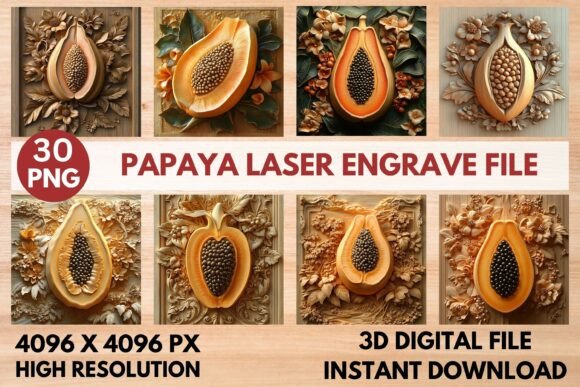
Tomato Laser Engrave File: Elevate Your Craft
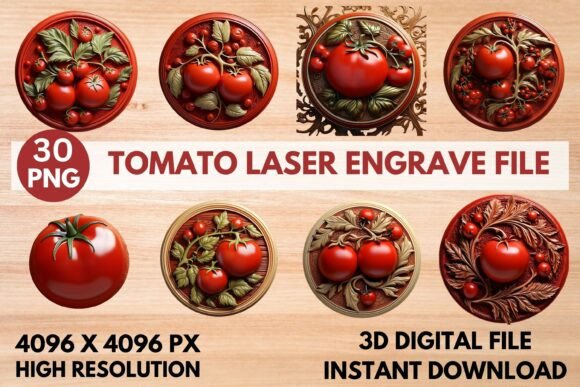
Transform your laser projects from simple to stunning with a design that captures the vibrant essence of a ripe tomato. The Tomato Laser Engrave File is more than just an image; it's a versatile creative asset engineered for precision and impact. This premium PNG design is crafted specifically for laser engraving, offering a level of detail and quality that can make your finished pieces look truly professional.
Whether you're a hobbyist or a small business owner, this file opens up a world of possibilities. Its high-resolution grayscale format is optimized for a range of popular laser machines, ensuring sharp, intricate burns on various materials. Imagine creating beautiful home décor, custom kitchen accessories, personalized stationery, or stylish textile prints. The design's clarity translates beautifully onto wood, leather, acrylic, and paper, making it a fantastic addition to your library of design assets.
Creative Applications and Project Ideas
The real value of this asset lies in its flexibility. It’s not a one-trick pony. This design file can be the centerpiece of numerous projects, helping you build a cohesive and professional-looking product line or personal collection.
- Home & Kitchen: Engrave it onto wooden cutting boards, cheese knives, serving trays, or decorative wall signs for a rustic, artisanal feel.
- Stationery & Paper Goods: Use it for unique greeting cards, notebook covers, or wedding invitation elements that stand out.
- Apparel & Accessories: Create striking prints for tote bags, aprons, or t-shirts that appeal to foodies and garden lovers.
- Packaging & Branding: Ideal for small-batch food producers, farmers' market vendors, or artisanal brands looking for authentic, handcrafted packaging design.
Tips for Achieving Perfect Results
To get the most out of your Tomato Laser Engrave File, a little preparation goes a long way. The file comes with two versions: coloring PNGs for projects where you might add paint or stain, and optimized grayscale PNGs for direct engraving. For the best outcome, always test your settings on a scrap piece of your chosen material first.
Machine-specific instructions are provided to help you start. For instance, using the grayscale mode with a dithered filter like Jarvis in LightBurn can yield beautiful, detailed output. Lighter-colored woods such as maple or birch often provide the best contrast, making the engraved details pop. Remember, this is a high-quality raster file (PNG), not a layered vector (SVG), so it's perfect for engraving and printing but not for cutting out shapes.
Integrating the Design into Your Workflow
Think of this design as a key component in your broader creative toolkit. It pairs wonderfully with clean, simple typefaces for accompanying text. Consider using a modern sans-serif font for labels or a elegant script for a more personalized touch. This approach ensures your final product looks polished and intentional, with strong visual consistency that can enhance brand recognition if you're selling your creations.
Choosing the right design assets is about finding pieces that offer both beauty and function. This Tomato Laser Engrave File provides a striking visual that is also highly practical for your laser engraving projects. Its combination of artistic appeal and technical optimization makes it a worthy consideration for anyone looking to produce high-quality, professional-looking engraved items that truly stand out.